The job records moulding, dimensions and glass type.
← All industries
Framing
From quote to delivery for framing
Price is moulding per linear metre plus glass plus labour, recalculated from scratch every time.
What changes
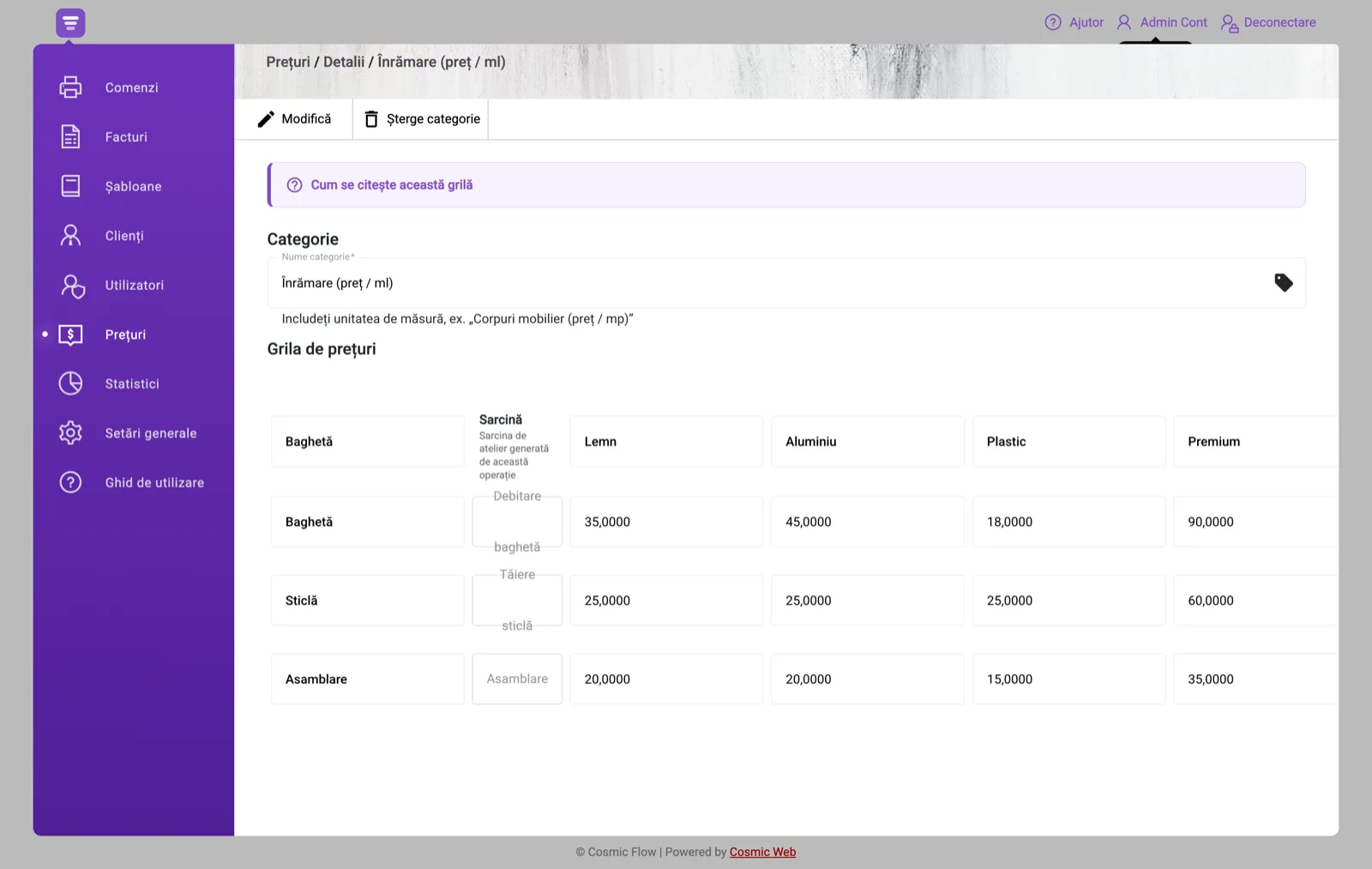
Price per linear metre comes from the grid, per moulding.
Multiple orders are tracked in one place.
Your stages, ready configured
The account starts with these production stages. Change them any time from Settings.
- 1Moulding cutting
- 2Glass cutting
- 3Mounting
- 4Assembly
Every stage records who worked on it, and when.

What it looks like on the shop floor
The operator interface is not the manager’s. A worker does not see the whole company — they see their own queue and two buttons.
A tablet at the moulding saw and one at assembly. The operator signs in with a PIN and sees only the jobs that reached them, with the moulding, the glass and the mount chosen. Delicate work is flagged as urgent.
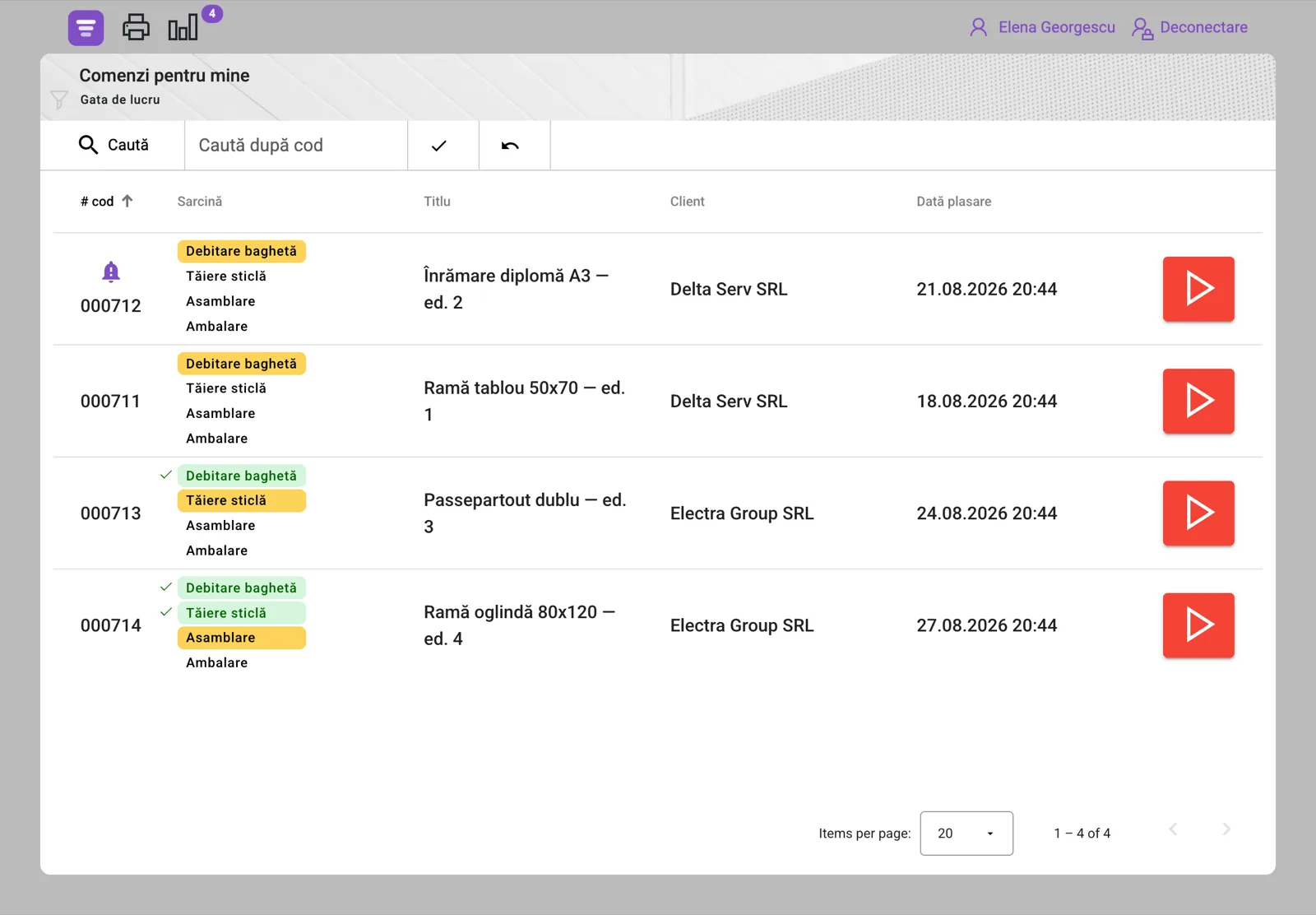
A tablet in the workshop, a PIN for each person
You do not need a computer at every station. A cheap tablet on the wall, next to the machine, is enough.
- The operator signs in with a four-digit PIN — no email, no password typed with dirty hands.
- They see only the jobs that reached their stage. Nobody has to tell them what is next.
- Two buttons: “In progress” when they start, “Done” when they finish.
- The job moves to the next stage on its own and appears in the next person’s list.
- The system records who worked and at what time — no handwritten timesheet.
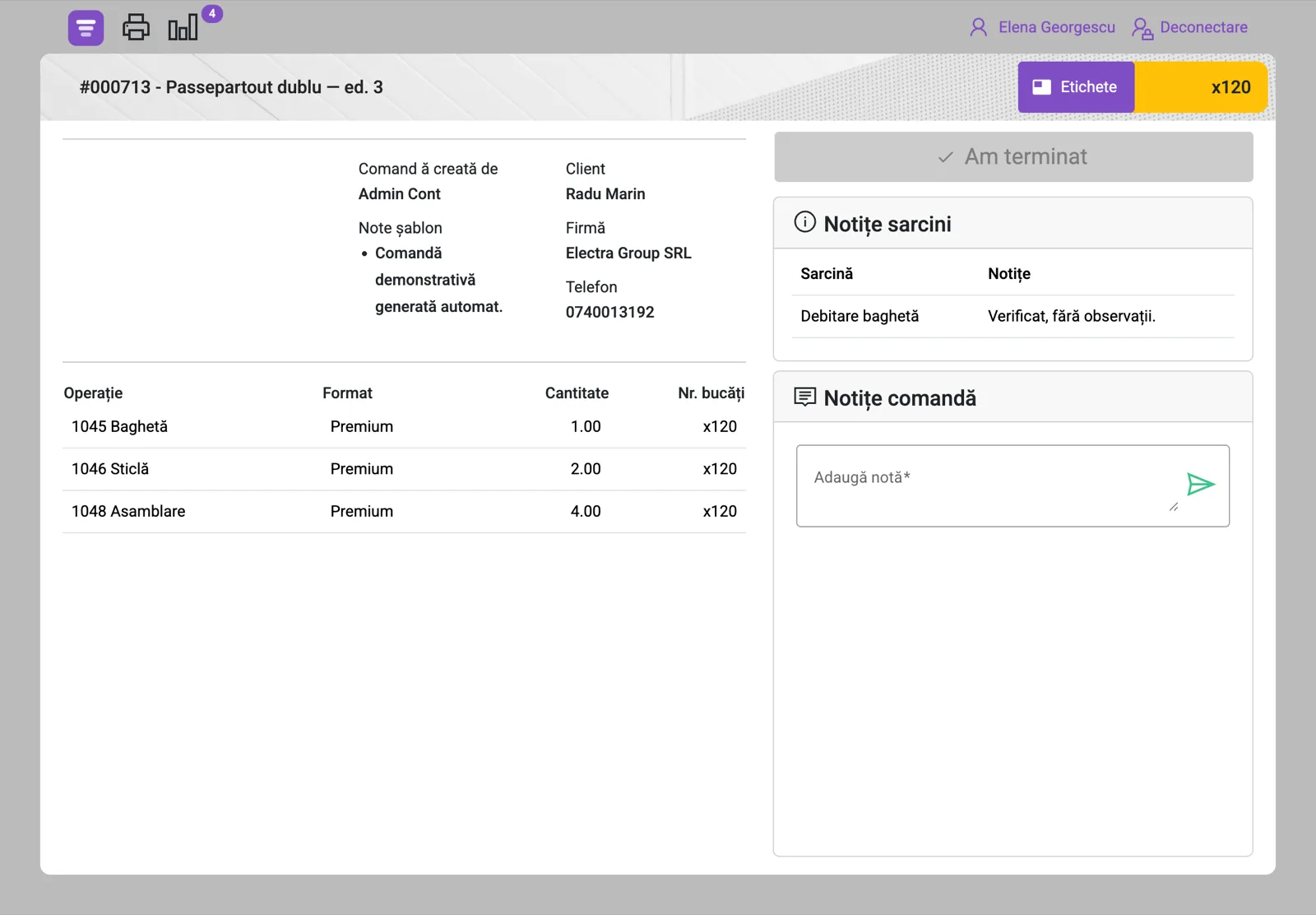
Order status, live
On an exhibition with 40 frames you can see how many are cut, glazed and assembled. A curator asking about the deadline gets a number, not an impression.
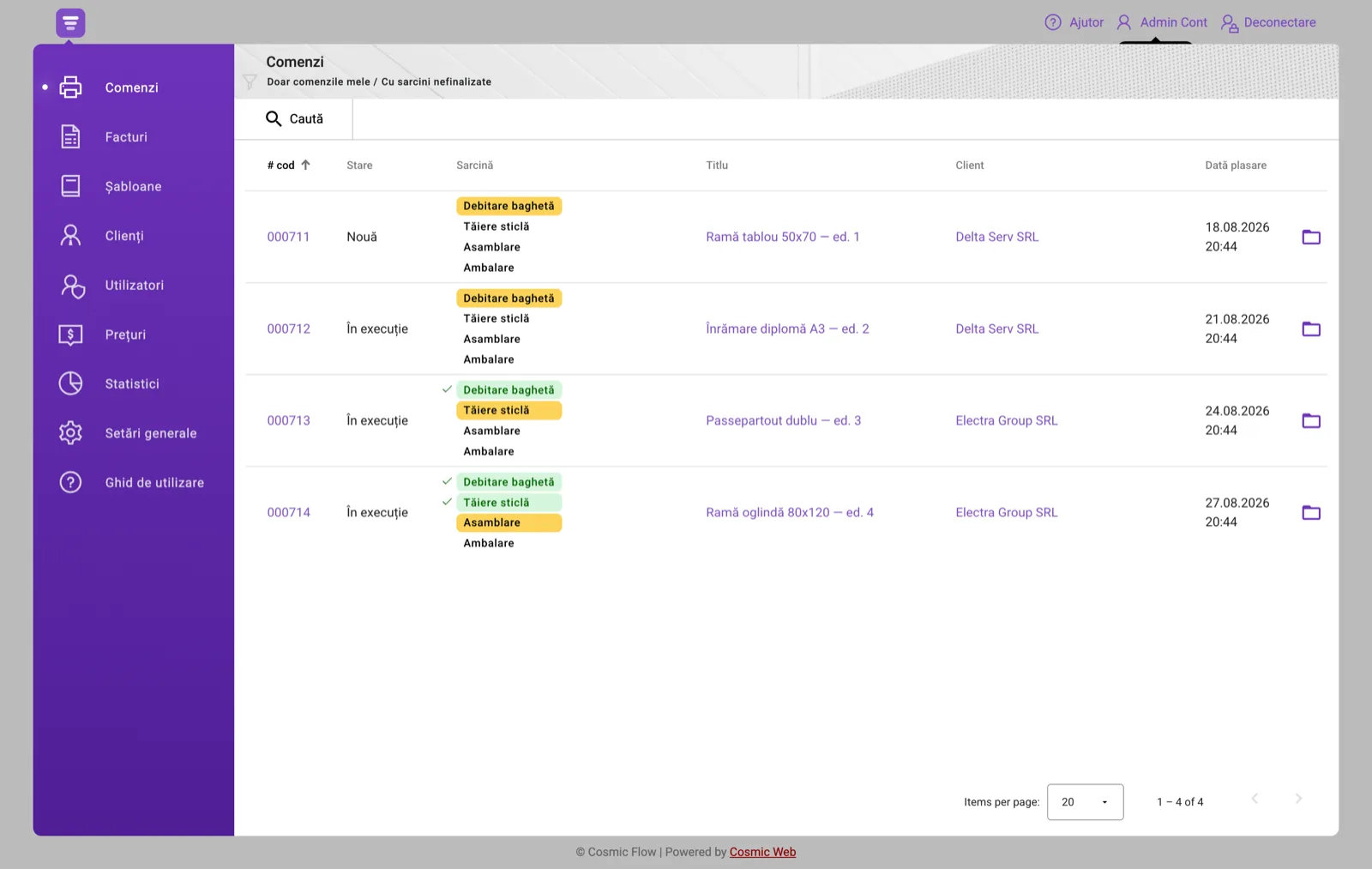
A concrete example
An exhibition with 30 identical frames. Define the job once, order 30, and the price drops through the volume discount.
- Unit of measure
- unit count
- Stages configured
- 4
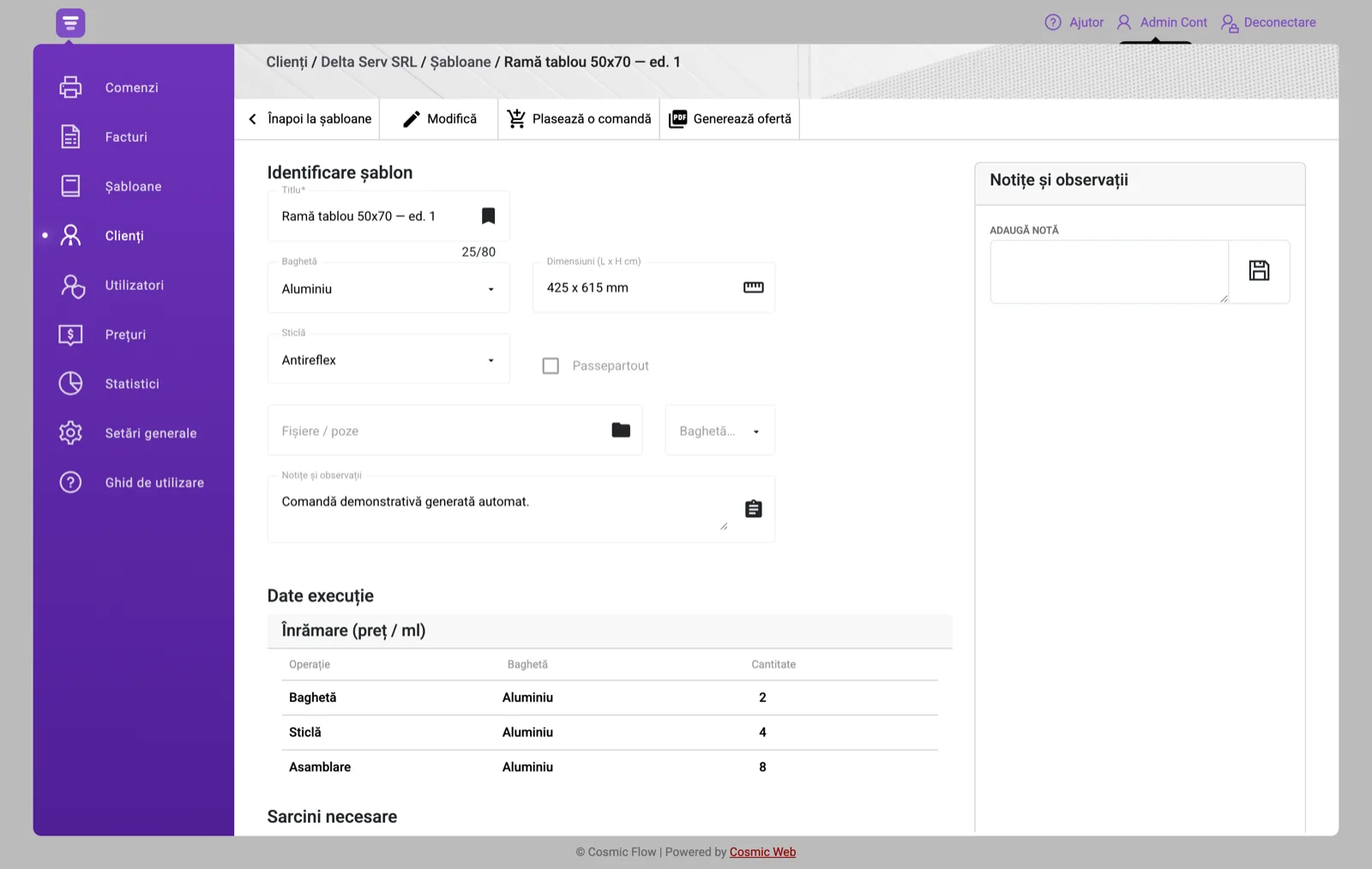
Four things you will notice immediately
- A frame is defined once — moulding, dimensions, glass, mount — and a similar order starts from it.
- Price per linear metre comes from your own grid, per moulding, so solid and finished wood stop being confused.
- Batch work for exhibitions is tracked piece by piece, not as a pile.
- You can see what is waiting on ordered material and what can be done today.
Your customers can see their own orders and invoices
Every customer can be given an account. They sign in at the same address you do and see exactly what concerns them — their orders, the stage each one has reached, the quotes they were sent, and their invoices including anything unpaid.
- They see only their own orders and documents — never another customer’s.
- They can download a quote or an invoice as a PDF instead of calling you for a copy.
- They see the stage each order has reached — the same information you see.
- The account is optional: a customer with no email address stays in the register, simply without access.
What if that customer already has an account with another company?
One email address has exactly one account across the whole platform — that is what makes signing in unambiguous. If the address is already in use by another company, the app tells you so plainly when you save, and you have two options: use a different address for this customer (the contact person who deals with you, for instance), or leave the field empty — the customer stays in your register, with orders and invoices, just without app access. Your data is never visible to the other company.
What it does
Reusable templates
Define a product once — with your trade’s own fields — and run any number of orders from it.
Your own price grid
Operations down, variants across, a price in every cell. Quotes become consistent.
Production stages
Each order moves through your stages. Operators pick up and complete; the system records who and when.
Invoices and proformas
Automatic per-series numbering that never repeats. Outstanding balances in one click.
Production reporting
What was made, by whom, in what quantity, and where the flow is getting stuck.
Configured per trade
Fields, stages and the price grid arrive ready for the work you actually do.
Try it on your own jobs
The account takes two minutes to create and arrives configured for this trade.